Introducing SensAI for Apple Watch
More workout. Less phone. Start your workout, adjust your current set, manage rest, and finish from your wrist with SensAI for Apple Watch.

SensAI Team
5 min read
Get a training plan that adapts to your recovery — free on iOS

More workout. Less phone.
The bench is free, the dumbbells are ready, and today’s Upper Body session is on your Watch. Presses, rows, and a final timed hold are ahead.
After warming up, you use a different weight from the one planned. Later, you want another 30 seconds of rest. Between exercises, you check how much work remains.
SensAI for Apple Watch brings those everyday workout decisions to your wrist, from starting the session to finishing its final set.
Start with today’s workout
For one-tap access, add the SensAI complication to your watch face. On Apple Watch Ultra, the configured Action button can also open the app.
Your plan is already there when you open SensAI. Today’s scheduled workout has a Start button; tap it and the first exercise appears with its set details. For this session, that’s your warm-up on the dumbbell bench press.
Check the weight and reps, pick up the dumbbells, and begin.
If you’re changing your training day, the Next page also lets you start the next scheduled workout early. And if you prefer to begin in the iPhone app, the Watch can pick up that session too.

Record the weight you actually use
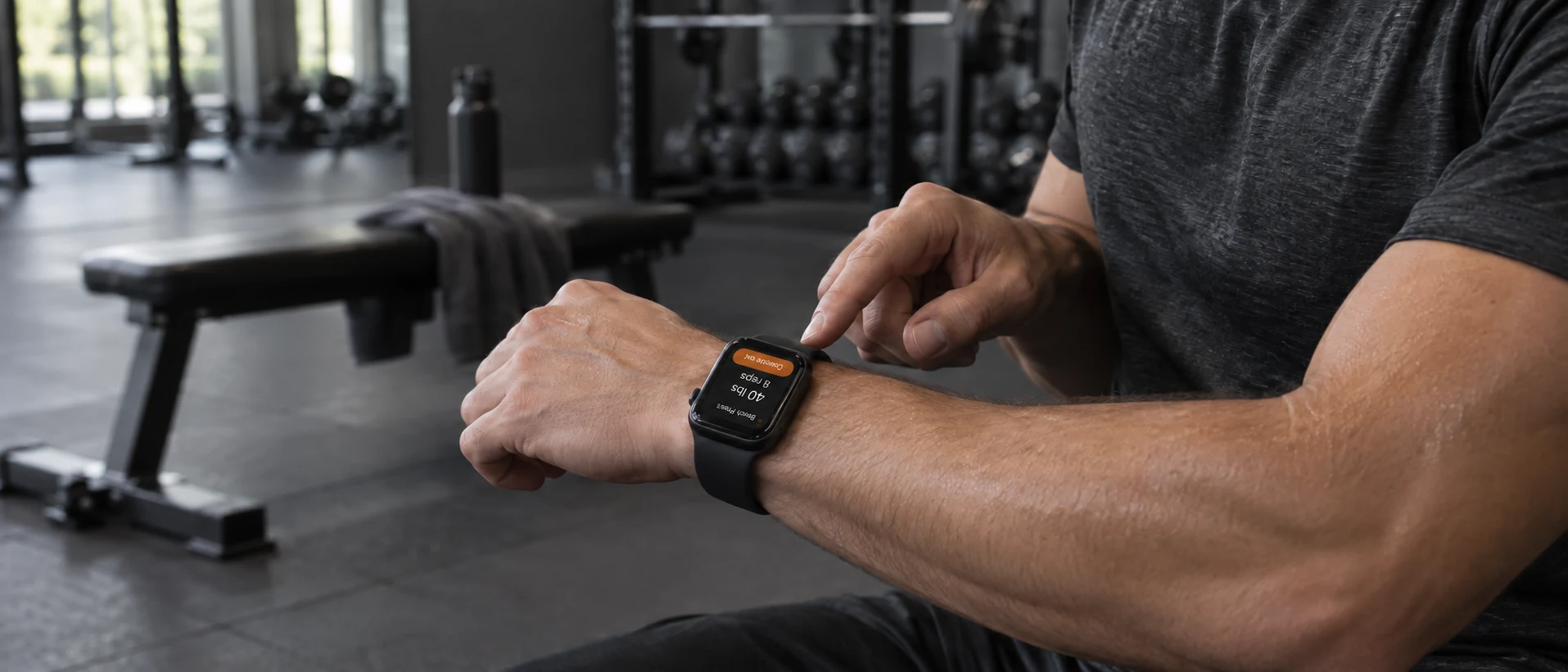
Warm-up done. Your first working set calls for eight reps with 40-pound dumbbells, but you’re using the 45s. Tap the pencil on the current-set screen, adjust the weight by swiping the dial or turning the Digital Crown, then close the editor. Your change is sent automatically, without a separate Save button. That change carries through to matching upcoming sets of the same exercise, so you don’t have to enter it again.
Reps, distance, and target time are editable too, depending on the set. Adjust a target time before starting its timer.
When you’ve done your eight reps, tap Complete set.
On Apple Watch Ultra, the Action button can complete the set too. Once configured for SensAI, it performs the current workout action even while you’re browsing your sets or exercise list.

Take your rest and see what’s next
Completing a set starts the next rest when one is needed. The countdown shows how long remains, with the upcoming work close at hand.
After your last bench-press set, you want another 30 seconds before moving to rows. Open the rest adjustment and tap plus twice: each tap adds 15 seconds. SensAI remembers the new duration for your next rest. You can shorten the break, pause it, or skip the rest when you’re ready to continue.

While you recover, check Up next for the next set’s weight and reps. You’re moving to single-arm dumbbell rows, so there’s time to find the weight you need before the countdown ends.
Continue down to Sets to see how the whole exercise is laid out: a 20-pound warm-up followed by the 35-pound working sets. It’s useful while warming up, too, when you want to check the weights, reps, and number of working sets ahead. A tap on your wrist tells you when the timer expires.

See how far you’ve come
Before starting the rows, swipe right from your current set or rest screen to the workout overview. Check how long you’ve been training and, with Health access, your heart rate and active calories for this session.
Swipe up to Exercises for the whole workout. Bench press is done, rows are next, and the side plank is still ahead. Each exercise shows its completed and total sets. You can browse without changing the exercise order or losing your place in the session.

Finish with the last timed hold
The rows are done. Your final exercise is a side plank, with a timed hold on each side.
Tap Start, or press the Action button on Ultra, to begin the countdown. On Ultra, pressing the Action button and side button together pauses the timer; press them together again to resume. Pause and resume are also available on screen.

When the first side ends, start the other. After the final side, tap Complete set to record the set. Once all your sets are complete, Finish ends the workout from the Watch. On Ultra, that final action is also available through the Action button.
Today’s workout now reads Completed. The sets and weights you recorded are ready to review in SensAI on iPhone.

Try it in your next workout
Install or update SensAI on your iPhone and Apple Watch, then open the Watch app when you’re ready for your next scheduled session. Enable Health access if you’d like heart-rate readings, active-calorie measurements, and workout recording in Apple Health. The on-screen controls work without Health access; Ultra’s Action button controls during a workout require Health recording.
SensAI for Apple Watch requires your iPhone nearby and connected, with iOS 26 or later and watchOS 26 or later.
Download SensAI and bring your next workout to your wrist.