Why Your Fitness Wearables Aren't Working (And How to Fix It)
Your wearables collect mountains of data, but integration problems leave you guessing. Learn how to connect your devices for actionable fitness insights.

SensAI Team
8 min read
Get a training plan that adapts to your recovery — free on iOS

Picture this: You’re wearing an Apple Watch, an Oura Ring tracks your sleep, and you’ve got three different fitness apps pinging you with notifications. You’re drowning in data - heart rate, HRV, step counts, sleep scores. But somehow, you’re not getting any fitter.
Sound familiar?
Here’s the uncomfortable truth: Most people collecting health data are basically digital hoarders. They’re gathering information with no clue what to do with it.
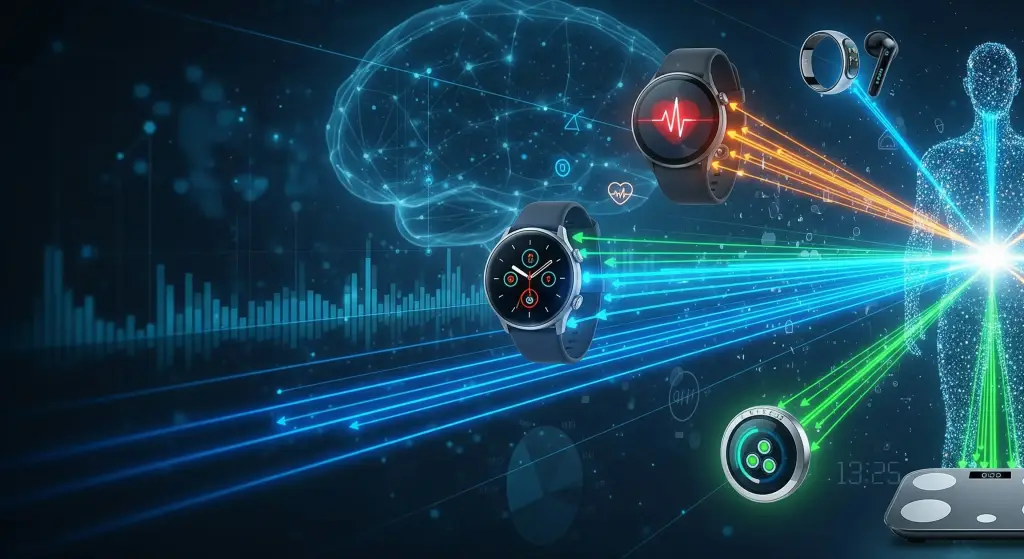
The problem isn’t the devices - it’s that they’re not talking to each other. Your Apple Watch thinks you had a great workout. Your Oura Ring says you need rest. MyFitnessPal is counting calories in a vacuum. None of them know what the others are doing, so you’re left playing detective, trying to piece together what your body actually needs.
But when you get these devices working together? That’s when things get interesting.
The Integration Problem
The fitness tech market is massive - heading toward $75 billion by next year1. About one in three Americans track their health with wearables2. But here’s the kicker: integration and interoperability problems remain one of the most significant frustrations for wearable users, with devices often unable to share data effectively across platforms3. And less than 10% of people keep using fitness apps after the first month4.
Why? Because integration sucks. Nobody has time to manually cross-reference five different apps to figure out if they should hit the gym or take a nap.
The people who do figure this out? They stick to their fitness programs 40% more consistently5 and get injured up to 47% less often6. Not because they have better willpower - because they have better information.
What Good Integration Looks Like
Think of your body like a complex ecosystem. You can’t understand it by looking at one piece - you need to see how everything connects.
Good wearable integration:
- Your smartwatch records that you slept poorly
- Your daily readiness summary explains what that means for recovery
- Actual performance and recovery inform your next weekly program
- You can request mid-workout changes in chat instead of doing mental gymnastics at 6 AM
Bad integration:
- Manually entering data between apps
- Guessing which device to trust when numbers conflict
- Getting generic workout plans that ignore your actual recovery state
- Giving up after three weeks because it’s too much work
Setting This Up (4-Week Plan)
Week 1: Pick Your Home Base
You need one central hub where everything lands. SensAI is available on iOS and connects only through Apple HealthKit, so SensAI users should choose Apple Health. Android users may choose Google Fit for other apps, but Google Fit is not a SensAI connection path.
Start simple. Connect your primary devices first. If you wear an Apple Watch every day, start there. Add your other gadgets one at a time, making sure each one syncs properly before adding the next.
Week 2: Let Things Settle
Don’t change your routine yet. Just let data flow for a week. This baseline tells you what’s actually happening, not what you think is happening. You might discover your “recovery day” walks are burning more calories than your gym sessions. Or that your sleep quality tanks every Wednesday.
Weeks 3-4: Add Intelligence
Here’s where it gets powerful: connecting an AI layer that can actually interpret all this data. This separates people who collect data from people who use it.
SensAI connects only through Apple HealthKit. Apple Watch data arrives directly, while Garmin, Oura, and WHOOP data flows through those apps’ HealthKit integrations. Raw HealthKit data stays on your device; only aggregated recovery metrics and workout summaries are sent server-side for AI coaching, and SensAI does not sell that data. The LLM uses this personal context to explain patterns such as performance dropping when sleep dips below 7 hours, create a daily readiness summary, and regenerate your program weekly from actual performance and recovery.
Real example: When users connect their Apple Watch, Oura Ring, and MyFitnessPal through HealthKit, the LLM can notice patterns like poor sleep → bad workouts → frustration → inconsistency. A daily readiness summary explains that context, the pattern informs the next weekly program, and users can ask the coach in chat to shorten or swap a workout mid-session. Same person, same equipment - just smarter integration.
Common Problems (And Quick Fixes)
Data Isn’t Syncing
You worked out, you wore the watch, but nothing’s showing up in your app.
First, check permissions. 90% of sync issues are because some app doesn’t have permission to access your health data. For SensAI, open Apple Health on your iPhone and make sure the relevant apps have read/write access. Android users troubleshooting other apps can check Google Fit, but it does not connect to SensAI.
Still broken? Force close everything and restart. If that doesn’t work, disconnect the problem device and reconnect it. Sometimes you just need to start fresh.
Drowning in Numbers
Too much information is just as bad as too little. If you’re checking seven different metrics every morning and feeling more confused than empowered, simplify.
Pick three metrics that actually matter for your goals:
- Want to lose weight? Focus on sleep quality, daily activity, and calorie trends
- Training for strength? Watch recovery metrics, workout intensity, and protein intake
- Improving endurance? Track HRV, sleep, and training load
Everything else is noise. You can always add metrics later, but start with what moves the needle.
Devices Telling Different Stories
Your Apple Watch says you burned 500 calories. Your Peloton says 350. Your chest strap heart rate monitor disagrees with both.
Welcome to wearable tech - accuracy varies. Don’t obsess over exact numbers. What matters is trends over time. If your watch consistently overestimates by 20%, that’s fine as long as it’s consistent. You’re looking for patterns: am I recovering well? Is my fitness improving?
When devices seriously conflict, trust the more specialized tool. A chest strap beats a wrist sensor for heart rate. A dedicated sleep tracker like Oura beats a smartwatch for sleep staging.
Making It Stick Long-Term
Here’s what separates people who integrate their data successfully from those who quit after two weeks:
Don’t try to be perfect. Some days you’ll forget to charge your watch. Some workouts won’t sync. That’s fine. You’re looking for overall patterns, not perfect data.
Focus on decisions, not data. Every piece of information should answer a question: Should I train hard today? Do I need more recovery? Is my sleep improving? If data isn’t helping you make better choices, stop tracking it.
Automate everything possible. Manual data entry is the enemy of consistency. Good integration means devices talk to each other automatically, and AI interprets the results without you playing analyst.
Give it time. The first week, you’re learning the system. The first month, you’re building habits. But around month three? That’s when integration really pays off. You’ve got enough data to spot real patterns. Your AI coach knows your quirks. The insights get personal and powerful.
Your Next Move
You can keep collecting data that goes nowhere. You can keep guessing whether today’s a push-hard day or a take-it-easy day. You can keep treating your wearables like expensive toys that sometimes buzz at you.
Or you can actually connect the dots.
Start simple:
- For SensAI, choose Apple Health on iOS; Android and Google Fit apply only to other apps
- Connect HealthKit-compatible devices first (Apple Watch directly; Garmin, Oura, and WHOOP through HealthKit)
- Let it run for a week without changing anything
- Add an AI layer that can actually use the data (this is where SensAI comes in)
- Use the daily readiness summary, weekly program, and chat-requested workout changes instead of guessing
The difference between data and intelligence? Data tells you your HRV is 62. A daily readiness summary explains that your body may need more recovery. Data says you slept 7.2 hours. Intelligence combines that context with actual performance when regenerating your next weekly program.
You’ve already invested in the hardware. The sensors are tracking. The apps are running. All that’s missing is the connection that turns information into results.
Connect Your Data with SensAI
Stop letting your wearable data go to waste. SensAI uses HealthKit-compatible data to create daily readiness summaries, regenerate your program weekly, and support user-requested mid-workout changes through chat.
References
Footnotes
-
Straits Research. “Wearable Fitness Trackers Market Size & Analysis.” 2025. https://straitsresearch.com/report/wearable-fitness-trackers-market ↩
-
National Institutes of Health. “Study Reveals Wearable Device Trends Among U.S. Adults.” 2023. https://www.nhlbi.nih.gov/news/2023/study-reveals-wearable-device-trends-among-us-adults ↩
-
PMC/National Library of Medicine. “Wearable Integration and Interoperability Challenges.” 2023. https://pmc.ncbi.nlm.nih.gov/articles/PMC9931360/ ↩
-
Lucid. “Retention Metrics for Fitness Apps: Industry Insights.” 2024. https://www.lucid.now/blog/retention-metrics-for-fitness-apps-industry-insights/ ↩
-
Create.fit. “AI Personal Training Statistics & Impact on Adherence.” 2024. https://create.fit/blogs/ai-personal-training-statistics/ ↩
-
PMC. “Effect of Wearable-Based Real-Time Feedback on Running Injuries.” 2024. https://pmc.ncbi.nlm.nih.gov/articles/PMC10905988/ ↩