Best Workout Apps in 2026: Verified Prices for Gym, Home, and AI Coaching
Nike Training Club is free, Hevy $23.99/yr, Strong $23.99–$29.99/yr, SensAI $69.99/yr, Fitbod $79.99–$95.99/yr. Verified August 2026 App Store pricing across eleven workout apps — gym loggers, home and no-equipment picks, class libraries, and recovery-aware AI.

SensAI Team
16 min read
Get a training plan that adapts to your recovery — free on iOS

The best workout app depends on the job you need done, and five picks cover almost everyone. Want free follow-along sessions with no equipment? Nike Training Club, which costs nothing and has no in-app purchases at all.1 Want to log barbell work at the gym? Strong or Hevy — Strong PRO runs $23.99–$29.99/year, Hevy $23.99/year, and both have usable free tiers.23 Want workouts generated for you? Fitbod, $79.99–$95.99/year.4 Want a program that regenerates weekly from your wearable’s recovery data? SensAI, $69.99/year.5
That’s the answer. The rest of this guide puts verified August 2026 prices on eleven apps, sorts them by the job they actually do — gym logging, home and no-equipment training, class libraries, generated programming, recovery-aware coaching — and explains the one distinction that predicts whether you’ll still be training in month four.
Best Workout Apps at a Glance (August 2026 Pricing)
Every price below was verified against the app’s App Store listing or official pricing page in August 2026. Where an app sells several subscription lengths, the range is shown.
| App | Best for | Price | Free tier? | App Store rating |
|---|---|---|---|---|
| Nike Training Club | Free guided workouts | $0, no in-app purchases1 | Fully free | 4.8 / 280K1 |
| FitOn | Free class library | $0; PRO $19.99–$39.996 | Yes, generous | 4.9 / 283K6 |
| Hevy | Strength logging | $2.99/mo, $23.99/yr, $74.99 lifetime3 | Yes, capped | — |
| Strong | Barbell/gym logging | $3.99–$4.99/mo, $23.99–$29.99/yr, $79.99–$99.99 forever2 | Yes, capped | 4.9 / 109K2 |
| JEFIT | Gym logging + exercise database | Elite $12.99/mo, $34.99–$69.99/yr7 | Yes, ad-supported | 4.8 / 47K7 |
| SensAI | Wearable-integrated AI coaching | $6.99/mo, $69.99/yr5 | 7-day trial, no card | 4.7 / 275 |
| Apple Fitness+ | Apple Watch–led classes | $9.99/mo, $79.99/yr8 | 1 month free8 | — |
| Fitbod | Auto-generated strength plans | $12.99–$15.99/mo, $79.99–$95.99/yr9 | 7-day trial only4 | 4.8 / 282K9 |
| Peloton App One | Live and on-demand classes | $15.99/mo, $159.00/yr10 | 30-day trial | 4.9 / 815K10 |
| Ladder | Coach-written team programs | PRO $29.99/mo, $179.99/yr11 | No | 4.9 / 175K11 |
| Freeletics | Bodyweight HIIT, no equipment | $34.99–$79.99 per term12 | Basic version | 4.6 / 22K12 |
Two things jump out of that table. First, the spread is enormous — the same category runs from $0 to $479.99/year at Ladder’s top tier, and price tracks format (live classes and human coaching cost the most) far more than it tracks personalization. Second, the two highest-rated apps by volume, Peloton and FitOn, sit at opposite ends of the price range, which is a good reminder that App Store ratings measure satisfaction with what an app promises, not whether that promise fits you.
A note on the ranges: several apps show multiple active price points on the same App Store listing — legacy grandfathered tiers, promotional rates, and current pricing side by side. Where that’s the case, the range above is the span actually listed rather than a single headline number. What you’re offered depends on when you sign up and which promotion is running.
Best Workout Apps by Training Style
The market divides into five categories. Pick the category first, then the app — choosing by star rating is how people end up with a class subscription when what they needed was a logbook.
Gym strength logging: Strong and JEFIT
If you train at a gym with barbells and already know your program, what you need is a fast logger, not a coach.
Strong is the minimalist pick and the highest-rated app in this entire comparison relative to its size — 4.9 across roughly 109,000 ratings.2 The free tier logs unlimited workouts with a cap on custom routines; Strong PRO lifts the caps and adds advanced charts, plate calculators, and unlimited routines. PRO is listed between $3.99 and $4.99 monthly, $23.99 and $29.99 yearly, and $79.99 to $99.99 for the one-time “Forever” unlock.2 It logs and charts; it will not tell you what to do next.
JEFIT is the heavier option, pairing logging with a large exercise database and community programs. Elite runs $12.99/month, with yearly listings between $34.99 and $69.99, and the free tier is ad-supported rather than crippled — 4.8 across roughly 47,000 ratings.7 Choose it over Strong if you want a program library bundled with your logbook; choose Strong if you want the fastest possible set entry between working sets.
Both are pure tier-one tools in the intelligence breakdown further down: they record what you did, perfectly, and infer nothing from it.
Free follow-along: Nike Training Club and FitOn
Nike Training Club is still the best free home workout app, and “free” here is unusually literal: the App Store listing shows no in-app purchases whatsoever, against a 4.8 rating across roughly 280,000 ratings.1 You get several hundred guided video workouts filterable by duration and equipment, including a deep bodyweight-only library, plus structured multi-week programs. What it doesn’t do is log set-by-set lifting or adapt to anything about you.
FitOn takes the freemium route instead: a large free class library covering HIIT, pilates, yoga, and strength, with FitOn PRO ($19.99–$39.99 depending on term) adding meal plans, offline downloads, and premium music.6 At 4.9 across roughly 283,000 ratings it’s the highest-rated free-tier app in the category.6 The free tier genuinely covers the basics; PRO is a convenience upgrade rather than a functional unlock.
Home strength logging: Hevy
Hevy is the app for people who already know their program and want a clean way to record it. Pro costs $2.99/month, $23.99/year, or $74.99 once for lifetime access, and the free tier is a real product rather than a demo — unlimited workout logging, capped at 4 routines, 7 custom exercises, and roughly a 3-month window in the advanced progress graphs.3 For a home lifter running a fixed dumbbell split, Hevy free can last indefinitely. It logs; it does not program. Our Hevy vs Strong comparison covers the logger category in depth.
Generated programming: Fitbod and Freeletics
Fitbod builds each session from your equipment, logged history, and muscle-recovery estimates, drawing on a library of more than 1,600 exercises. It is listed between $12.99 and $15.99 monthly and between $79.99 and $95.99 yearly, with a 7-day trial and no permanent free tier — when the trial ends, the app stops.94 Its adaptation runs on what you log, not on biometric data, so a four-hour night and an eight-hour night produce the same prescription.
Freeletics is the bodyweight-first equivalent, and the most genuinely no-equipment option among the paid apps. It sells Training Coach subscriptions in 3-, 6-, and 12-month terms priced between $34.99 and $79.99, plus Training and Nutrition bundles at $49.99 and $89.99.12 The Coach adapts on your rated effort and session completion rather than recovery data.
Class-based: Apple Fitness+, Peloton, and Ladder
Apple Fitness+ costs $9.99/month or $79.99/year after one month free, and displays heart rate and Activity Ring progress on screen in real time during instructor-led classes.8 It’s the obvious pick if you already wear an Apple Watch and prefer following someone else’s lead.
Peloton sells App One at $15.99/month or $159.00/year and App+ at $28.99/month or $289.00/year, with a 30-day trial.10 At 4.9 across roughly 815,000 ratings it is the most-reviewed app in this comparison by a wide margin.10 Hardware isn’t required for the app memberships. The class format is motivating but doesn’t build a progressive personal program.
Ladder assigns you to a coach and a team, with PRO at $29.99/month or $179.99/year and higher ELITE tiers up to $479.99/year.11 There’s no free tier. The draw is accountability and coach-written progression, not personalization to your data.
Wearable-integrated AI: SensAI
SensAI (that’s us) sits in a different tier, and it’s worth being precise about why. It costs $6.99/month or $69.99/year after a 7-day trial that requires no credit card, and there’s no permanent free tier.5 The app connects to Apple Watch directly; Garmin, Oura, and WHOOP data flow through Apple HealthKit. Raw HealthKit data stays on-device, while aggregated recovery metrics — HRV trends, sleep quality, resting heart rate — are sent server-side as context for the LLM-based coach. Rather than generating one plan and leaving you to it, SensAI regenerates the program each week from actual performance plus that recovery context, and you can request mid-session changes in plain language. Currently iOS, with Android in development.
For a deeper head-to-head across the AI category specifically, our breakdown of leading AI fitness apps and our best AI workout app guide go further than this roundup can.
Best Home and No-Equipment Workout Apps
Home and no-equipment training is the most common version of this question, so here is the direct answer: Nike Training Club is the best free no-equipment home workout app, because its bodyweight library is deep, genuinely free, and requires nothing but floor space.1 FitOn is the close second if you prefer class-style variety over Nike’s programmatic structure.6 For free strength logging on a bodyweight or dumbbell routine, Hevy’s free tier is the better tool.3
What you can train with nothing at all is more than most people assume:
- Zero equipment: Nike Training Club, FitOn, and Freeletics’ basic tier all run substantial bodyweight-only libraries. Push-up, squat, lunge, hinge, and core progressions cover the movement patterns that matter. Our bodyweight training guide walks through progressing without added load.
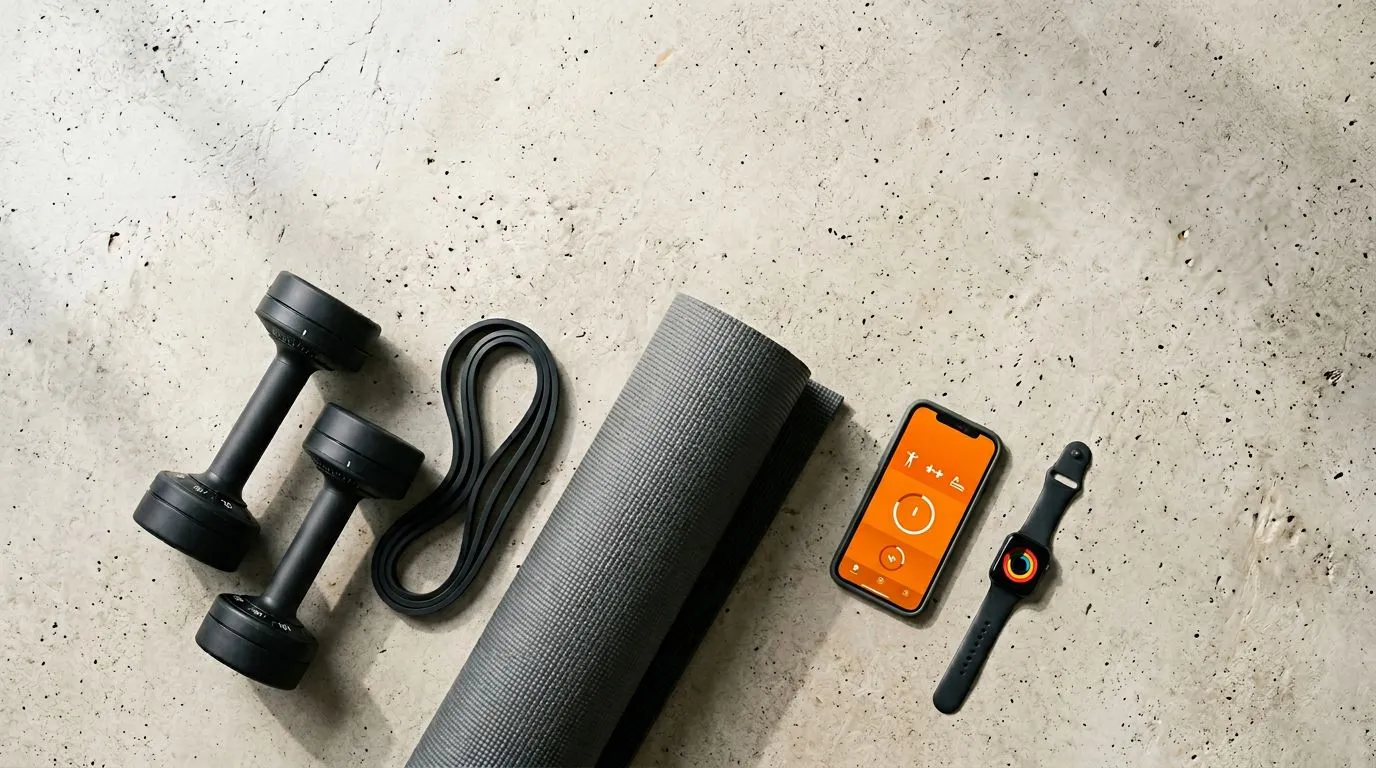
- Dumbbells and a resistance band: This unlocks the majority of home strength programming, including SensAI and Fitbod. Two or three fixed pairs, or one adjustable set, plus a looped band is the highest-return purchase in home fitness.
- A wearable: Required for Apple Fitness+‘s on-screen metrics and for the full benefit of recovery-aware apps like SensAI. Useful, not mandatory, everywhere else.
You do not need a barbell, a rack, a cable machine, or a Peloton bike to train effectively at home. Start with bodyweight, add dumbbells when you outgrow it, and add wearable integration when you want training that responds to your recovery.
What Separates a Workout App That Sticks
Before scrolling app store ratings, it helps to know what actually distinguishes effective tools. The Forbes Health editorial team evaluated over 40 fitness apps for their 2026 rankings, with the American Council on Exercise providing medical review.13 Their criteria map closely onto what the research says matters.
- Personalization depth. Does the app ask five generic questions and produce a cookie-cutter plan, or does it account for equipment, injury history, experience, and schedule? A systematic review and meta-analysis led by Anna Romeo at the University of South Australia found that smartphone fitness apps work best when they lean on behavior change techniques — self-monitoring, goal-setting, and performance feedback. Generic programming without those elements produced only small, short-lived effects.14
- Progressive overload support. If the app prescribes the same load and rep scheme every week with no advancement plan, it’s a template with a nice interface. As Nicholas Ratamess, PhD, lead author of the American College of Sports Medicine’s position stand on resistance-training progression, and colleagues put it, results depend on systematically manipulating load, volume, and exercise selection over time — a static plan stops working once your body adapts.15
- Equipment flexibility. Can it build a plan for a full gym, a dumbbell-and-band setup, or bodyweight only? Training at home makes this non-negotiable.
- Wearable integration. A JMIR survey study found 44.5% of US adults owned a wearable device between 2020 and 2022.16 A separate meta-analysis found a modest increase in moderate-to-vigorous physical activity across interventions combining wearables and smartphone apps versus controls — it did not establish that every wearable-plus-coaching product beats app guidance alone.17
- Tracking and analytics. Progress charts and performance trends give you evidence the program is working, or a signal that something needs to change.
The Three Tiers of Workout App Intelligence
Most roundups treat every app as a variation on “pick a workout, press play.” The technology underneath varies enormously, and it explains why some programs keep working while others stall.
- Static template apps. You choose a program and repeat it. Personalization is one-time, based on initial inputs. The plan ignores whether you crushed your last session or barely finished it. Most free apps and basic paid programs live here, alongside pure loggers like Strong, Hevy, and JEFIT — they record faithfully and infer nothing.
- Performance-adaptive apps. You log workouts and the algorithm adjusts future sessions from what you recorded. Fitbod is the clearest example. Real progress over tier one, but it still misses everything outside the workout — the four-hour night, the doubled work stress, the travel week.
- Wearable-integrated AI. The app uses aggregated HRV, sleep, and resting heart rate as context alongside performance. In SensAI, that context informs weekly program regeneration and daily recovery summaries. The tradeoff is real: it requires consistent device wear, and the output is only as good as the wearable data behind it.
The third tier rests on heart rate variability, which reflects autonomic activity and can contribute to recovery assessment when interpreted against a personal baseline over multiple days. Sport scientist Daniel Plews, PhD, of Auckland University of Technology and colleagues describe HRV as a non-invasive window into training adaptation: vagally mediated HRV may rise with positive adaptation and fall as fatigue accumulates.18 A stable or rising trend is consistent with recovery; a multi-day decline can flag accumulated fatigue. HRV alone does not determine readiness or prove a hard session will cause harm. A meta-analysis of HRV-guided endurance training found a small but consistent edge in some aerobic adaptations over fixed programming.19
A 2022 umbrella review in The Lancet Digital Health led by Ty Ferguson at the University of South Australia found that activity-tracker interventions added roughly 40 minutes of daily walking and about 2 lb of weight loss across the populations studied — evidence that acting on collected data can change behavior, within modest bounds.20 This shift from static to adaptive programming is the most meaningful advance in the science of AI workout personalization.
Which Workout App Fits Your Goal
| Your goal | What to prioritize | Best picks |
|---|---|---|
| Log barbell work at the gym | Fast set entry, plate math, progression charts | Strong, Hevy, JEFIT |
| Build muscle at home | Set-by-set logging, progression tracking, exercise depth | Hevy, Fitbod, SensAI |
| Train with no equipment | Bodyweight library depth, clear form demos | Nike Training Club, Freeletics, FitOn |
| Spend nothing | Genuinely free tier, no paywall creep | Nike Training Club, FitOn, Hevy free, Strong free |
| Lose weight | Consistency tools, varied formats, calorie awareness | FitOn, Apple Fitness+, Peloton |
| Train off wearable data | HRV and sleep context, weekly regeneration | SensAI |
| Stay accountable | Coach-designed progression, community | Ladder, Peloton |
| Start running | Structured beginner progression | See our Couch to 5K guide |
If your priority is strength, you need per-exercise tracking and built-in progression. If your priority is consistency and you skip workouts when left to your own programming, a follow-along app with scheduled sessions removes the decision friction. If you already wear a tracker and want recovery trends factored into what you’re told to do, the wearable-integrated tier is the only one that does it.
How to Actually Get Results From a Workout App
The right app is a starting condition. How you use it decides whether it works.
- Pick one and commit for four weeks. App-hopping is the fastest way to stall. Give the programming time to produce adaptation before judging it.
- Log every session. Completed workout data is what fuels better recommendations. Skipped entries create blind spots.
- Use recovery data for intensity decisions. If your app supports it, let biometric signals guide the call. If not, at minimum check your sleep quality and resting heart rate before deciding whether today is a push day.
- Pair complementary apps instead of hunting for one that does everything. A strength logger plus a class app covers more ground than any all-in-one.
- Schedule workouts like appointments. The American College of Sports Medicine recommends at least 150 minutes per week of moderate-intensity activity.21 Calendar blocks and reminders are the difference between intention and training.
- Adjust when life changes. Travel, pain, and schedule chaos all change what’s possible. SensAI handles this by accepting mid-session change requests and folding completed-versus-planned work plus recovery context into the next week’s training frequency and rest days. Persistent or worsening pain belongs with a licensed clinician, not an app.
Free vs Paid: What the Money Actually Buys
Free apps work well for two groups: beginners who need structure, and experienced lifters who already know their programming and just need a tracker. Where free tiers consistently fall short is adaptive progression and recovery-aware scheduling.
The gap shows up over time rather than on day one. A free app gets you moving in week one. What you’re buying with a subscription is what happens in month four, when the novelty is gone and the fixed plan no longer matches your life. Sticker price is also not the number that matters — total cost across your realistic usage window is, and our fitness app pricing breakdown runs that math across free tiers, annual plans, and lifetime deals.
Worth saying plainly: if you program your own training and want a logbook, stay free. Nike Training Club or Hevy free is the correct answer, not a compromise.
Frequently Asked Questions About Workout Apps
What is the best workout app?
There is no single best workout app, because the category serves five different jobs. For free guided workouts it’s Nike Training Club; for gym strength logging, Strong at $23.99–$29.99/year or Hevy at $23.99/year; for auto-generated strength plans, Fitbod at $79.99–$95.99/year; for class libraries, FitOn free or Apple Fitness+ at $79.99/year; and for programming that adapts to wearable recovery data, SensAI at $69.99/year.1239685 Match the app to the job before comparing star ratings.
What is the best workout app for the gym?
Strong or Hevy if you already know your program and want a fast logger — Strong is 4.9 across roughly 109,000 ratings, Hevy $23.99/year with a genuinely usable free tier.23 JEFIT if you want a large exercise database and community programs bundled in, at $12.99/month or $34.99–$69.99/year.7 Fitbod if you want the gym session generated for you rather than logged by you.9
What is the best free workout app?
Nike Training Club, whose App Store listing shows no in-app purchases at all against a 4.8 rating across roughly 280,000 ratings.1 FitOn is the strongest free class library at 4.9 across roughly 283,000 ratings.6 For free strength logging rather than follow-along video, the free tiers of Hevy and Strong both log unlimited workouts with caps on custom routines.32
What is the best home workout app?
There’s no single winner, because the category serves four different jobs. Nike Training Club is best for free guided workouts, Hevy for strength logging at $23.99/year, Fitbod for auto-generated plans at $95.99/year, and SensAI for programming that adapts to wearable recovery data at $69.99/year.1345
What is the best free home workout app?
Nike Training Club. Its App Store listing shows no in-app purchases at all, alongside a 4.8 rating across roughly 280,000 ratings, and the bodyweight library is deep enough to train on indefinitely.1 FitOn is the strongest alternative if you prefer class variety, and Hevy free is better if what you need is logging.63
What is the best at-home workout app with no equipment?
Nike Training Club and FitOn on the free side, Freeletics if you’ll pay for structured bodyweight progression, from $34.99 per term.1612 All three run substantial equipment-free libraries covering the core movement patterns.
Can you get fit with just a workout app?
Yes. Systematic reviews have found that app-based interventions — particularly those incorporating personalization and behavior change techniques — produce measurable improvements in physical activity and fitness markers.1417 The determining factor is choosing one matched to your goals and using it consistently.
How much do workout apps cost in 2026?
The range runs from $0 to $479.99/year. Nike Training Club and FitOn’s base tier are free; Hevy is $23.99/year, Strong $23.99–$29.99, JEFIT Elite $34.99–$69.99, SensAI $69.99, Apple Fitness+ $79.99, Fitbod $79.99–$95.99, Peloton App One $159.00, Ladder PRO $179.99, and Ladder’s top ELITE+ tier reaches $479.99.163275891011
Do AI workout apps actually work?
It depends on the programming underneath, the evidence behind it, and adherence. The cited reviews found modest improvements in physical activity and fitness markers from app-based and wearable-supported interventions, but they don’t prove AI apps outperform well-designed static programs in direct comparison.1417 A questionnaire-driven generator offers little edge over a good fixed plan. An LLM-based coach adds conversational explanation and can use performance plus aggregated recovery context — but still needs sensible programming and consistent use.
Which workout app works best with a wearable?
Apple Fitness+ if you want live on-screen metrics during Apple Watch classes.8 SensAI if you want the wearable data to change what you’re programmed to do — it reads Apple Watch directly, with Garmin, Oura, and WHOOP flowing through HealthKit, and regenerates the week from aggregated recovery trends rather than just displaying them.5 The distinction matters: displaying HRV and programming from it are different products. Our guide to turning wearable data into training decisions covers the difference.
Are workout apps worth paying for?
Free apps cover the basics well. Paid apps earn the subscription through personalization, adaptive progression, and wearable integration. If you train more than three times a week and want programming that evolves with you, the math compares favorably to a trainer or gym membership — but earn that conclusion with a free trial against your own data first.
The Bottom Line
The best workout app is the one still open on your phone in month four. For most people that’s Nike Training Club if you want free guided sessions, Strong or Hevy if you’re logging your own program at the gym, and Fitbod if you want the programming handled. If you own a wearable and keep stalling because nothing adjusts when sleep and life intervene, SensAI is built for exactly that gap — $69.99/year, and a 7-day trial that doesn’t ask for a card.5
Download SensAI on the App Store to let your recovery data shape your training.
References
Footnotes
-
Nike, Inc. “Nike Training Club — Wellness.” App Store listing (id301521403), accessed August 2026. https://apps.apple.com/us/app/nike-training-club/id301521403 ↩ ↩2 ↩3 ↩4 ↩5 ↩6 ↩7 ↩8 ↩9 ↩10 ↩11
-
Azumio, Inc. “Strong Workout Tracker Gym Log.” App Store listing (id464254577), accessed August 2026. https://apps.apple.com/us/app/strong-workout-tracker-gym-log/id464254577 ↩ ↩2 ↩3 ↩4 ↩5 ↩6 ↩7 ↩8 ↩9
-
Hevy Studios. “Hevy — Gym Log Workout Tracker.” Google Play listing, accessed August 2026. https://play.google.com/store/apps/details?id=com.hevy ↩ ↩2 ↩3 ↩4 ↩5 ↩6 ↩7 ↩8 ↩9 ↩10
-
Fitbod, Inc. “Frequently Asked Questions.” Fitbod.me, accessed August 2026. https://fitbod.me/faqs/ ↩ ↩2 ↩3 ↩4
-
Origami, Inc. “SensAI: Fitness Sensei.” App Store listing (id6738963099), accessed August 2026. https://apps.apple.com/us/app/sensai-fitness-sensei/id6738963099 ↩ ↩2 ↩3 ↩4 ↩5 ↩6 ↩7 ↩8 ↩9
-
FitOn, Inc. “FitOn Workouts & Fitness Plans.” App Store listing (id1442473191), accessed August 2026. https://apps.apple.com/us/app/fiton-fitness-workout-plans/id1442473191 ↩ ↩2 ↩3 ↩4 ↩5 ↩6 ↩7 ↩8 ↩9 ↩10
-
Jefit, Inc. “JEFIT Gym Workout Plan & Log.” App Store listing (id449810000), accessed August 2026. https://apps.apple.com/us/app/jefit-gym-workout-plan-log/id449810000 ↩ ↩2 ↩3 ↩4 ↩5
-
Apple Inc. “Apple Fitness+.” Apple.com, accessed August 2026. https://www.apple.com/apple-fitness-plus/ ↩ ↩2 ↩3 ↩4 ↩5 ↩6
-
Fitbod, Inc. “Fitbod: Workout & Gym Log.” App Store listing (id1041517543), accessed August 2026. https://apps.apple.com/us/app/fitbod-workout-gym-log/id1041517543 ↩ ↩2 ↩3 ↩4 ↩5 ↩6
-
Peloton Interactive, Inc. “Peloton: Fitness & Workouts.” App Store listing (id792750948), accessed August 2026. https://apps.apple.com/us/app/peloton-fitness-workouts/id792750948 ↩ ↩2 ↩3 ↩4 ↩5
-
Ladder Teams, Inc. “LADDER: Strength Training.” App Store listing (id1502936453), accessed August 2026. https://apps.apple.com/us/app/ladder-strength-training/id1502936453 ↩ ↩2 ↩3 ↩4
-
Freeletics GmbH. “Freeletics: Workouts & Fitness.” App Store listing (id654810212), accessed August 2026. https://apps.apple.com/us/app/freeletics-workouts-fitness/id654810212 ↩ ↩2 ↩3 ↩4
-
Forbes Health / ACE Fitness. “The 10 Best Workout And Fitness Apps Of 2026.” American Council on Exercise, 2025. https://www.acefitness.org/about-ace/press-room/in-the-news/9053/the-10-best-workout-and-fitness-apps-of-2026-forbes/ ↩
-
Romeo A, Edney S, Plotnikoff R, Curtis R, Ryan J, Sanders I, Crozier A, Maher C. “Can Smartphone Apps Increase Physical Activity? Systematic Review and Meta-Analysis.” Journal of Medical Internet Research, 2019;21(3):e12053. https://pubmed.ncbi.nlm.nih.gov/30888321/ ↩ ↩2 ↩3
-
Ratamess NA, Alvar BA, Evetoch TK, Housh TJ, Kibler WB, Kraemer WJ, Triplett NT. “American College of Sports Medicine Position Stand: Progression Models in Resistance Training for Healthy Adults.” Medicine & Science in Sports & Exercise, 2009;41(3):687-708. https://journals.lww.com/acsm-msse/Fulltext/2009/03000/Progression_Models_in_Resistance_Training_for.26.aspx ↩
-
Nagappan A, Krasniansky A, Knowles M. “Patterns of Ownership and Usage of Wearable Devices in the United States, 2020-2022: Survey Study.” Journal of Medical Internet Research, 2024;26:e56504. https://www.jmir.org/2024/1/e56504 ↩
-
Gal R, May AM, van Overmeeren EJ, Simons M, Monninkhof EM. “The Effect of Physical Activity Interventions Comprising Wearables and Smartphone Applications on Physical Activity: A Systematic Review and Meta-analysis.” Sports Medicine - Open, 2018;4(1):42. https://pubmed.ncbi.nlm.nih.gov/30178072/ ↩ ↩2 ↩3
-
Plews DJ, Laursen PB, Stanley J, Kilding AE, Buchheit M. “Training Adaptation and Heart Rate Variability in Elite Endurance Athletes: Opening the Door to Effective Monitoring.” Sports Medicine, 2013;43(9):773-781. https://pubmed.ncbi.nlm.nih.gov/23852425/ ↩
-
Manresa-Rocamora A, Sarabia JM, Javaloyes A, Flatt AA, Moya-Ramón M. “Heart Rate Variability-Guided Training for Enhancing Cardiac-Vagal Modulation, Aerobic Fitness, and Endurance Performance: A Methodological Systematic Review with Meta-Analysis.” International Journal of Environmental Research and Public Health, 2021;18(19):10299. https://pubmed.ncbi.nlm.nih.gov/34639599/ ↩
-
Ferguson T, Olds T, Curtis R, Blake H, Crozier AJ, Dankiw K, Dumuid D, Kasai D, O’Connor E, Virgara R, Maher C. “Effectiveness of Wearable Activity Trackers to Increase Physical Activity and Improve Health: A Systematic Review of Systematic Reviews and Meta-Analyses.” The Lancet Digital Health, 2022;4(8):e615-e626. https://pubmed.ncbi.nlm.nih.gov/35868813/ ↩
-
American College of Sports Medicine. “ACSM Physical Activity Guidelines.” ACSM, 2025. https://acsm.org/education-resources/trending-topics-resources/physical-activity-guidelines/ ↩